- Published on
- •6 min read
Agentic AI Design Patterns — Part 1: The Catalog & Learning Path
- Authors

- Name
- Kamrul Hasan
Introduction
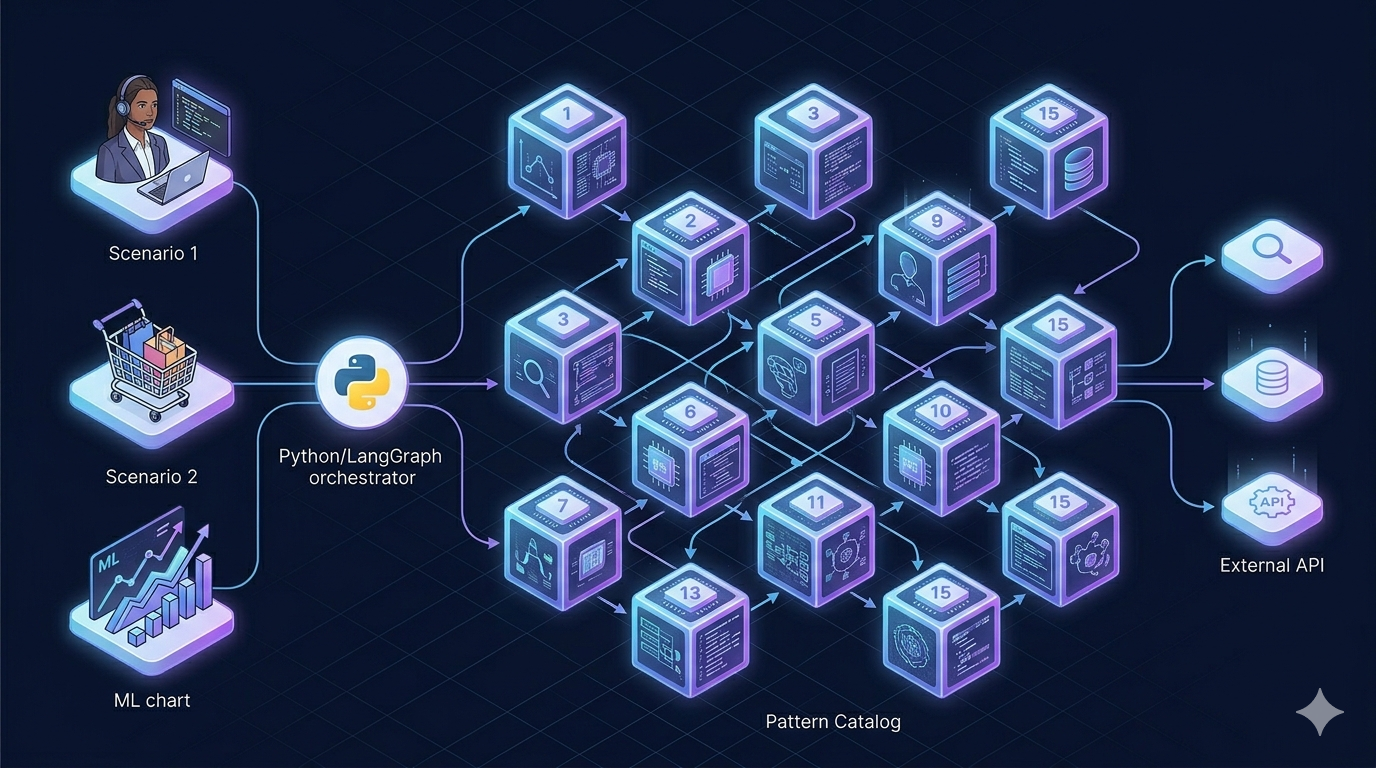
Reading about "agentic AI" is easy. Building an agent that reasons, calls tools, remembers context, and fails safely is harder — especially when every tutorial shows a different domain, a different framework, and a different architecture.
I built agentic-ai-overview to fix that. It is a hands-on catalog of 15 agentic AI design patterns, each with runnable LangGraph examples and three shared real-world scenarios. Run the same pattern against IT helpdesk, e-commerce support, or an ML demand-forecast pipeline — and compare how the pattern behaves without rewriting domain logic.
This is Part 1 of a four-part series:
| Part | Topic |
|---|---|
| 1 (this post) | The catalog, mental model, and learning path |
| Part 2 | Three scenarios and the shared runtime |
| Part 3 | Foundation & workflow patterns (01–06) |
| Part 4 | Control, multi-agent, and production (07–15) |
Why I Built This
Most agent content falls into two buckets:
- Concept posts — great diagrams, no runnable code
- Framework tutorials — runnable code, but one pattern, one domain, hard to compare
I wanted a repo where you can answer questions like:
- What does Routing look like vs Orchestrator–Workers on the same ticket?
- How does ReAct differ from Prompt Chaining when the tools stay identical?
- When do I add RAG, Guardrails, or Human-in-the-Loop — and in what order?
The trick is scenario consistency. Every pattern example accepts --scenario helpdesk|ecommerce|demand-forecast and shares mock tools, prompts, and CLI flags from shared/.
What the Repo Contains
| Layer | What you get |
|---|---|
Patterns (patterns/01–15) | One folder per design pattern: concept README, use-case template, working example/ |
Scenarios (shared/examples/) | Three domains with mock tools, prompts, and data — swap via --scenario |
Shared runtime (shared/) | LLM clients, CLI, LangGraph helpers, optional MCP server |
Docs (docs/) | Architecture, pattern index, run commands, production guides |
Tests (tests/) | 45+ unit tests — no API keys required |
Single-Agent vs Multi-Agent
Before picking a pattern, decide your architecture. Most production systems should start single-agent and add multi-agent only when prompts, tools, or audit boundaries overflow one identity.
| Question | Lean single-agent | Lean multi-agent |
|---|---|---|
| Domain breadth | One clear domain | Multiple specialties |
| Latency budget | Tight | Can afford coordination |
| Audit needs | One owner is fine | Need per-role traceability |
| Implementation time | Faster to ship | More state wiring |
Practical rule: start with ReAct + Tool Use + Guardrails. Add Orchestrator–Workers or Handoff when one agent's prompt and tool set becomes unmanageable.
The 15 Patterns at a Glance
| # | Pattern | Category | Best first scenario |
|---|---|---|---|
| 01 | ReAct | Core loop | Any — start here |
| 02 | Tool Use | Core loop | Any tool-using agent |
| 03 | Planning | Core loop | demand-forecast (ML pipeline) |
| 04 | Prompt Chaining | Workflow | Fixed multi-step pipelines |
| 05 | Routing | Workflow | helpdesk (VPN vs email vs password) |
| 06 | Parallelization | Workflow | FAQ + status checks at once |
| 07 | Orchestrator–Workers | Workflow | demand-forecast (MLDLC specialists) |
| 08 | Evaluator–Optimizer | Workflow | Improve answer quality |
| 09 | Human-in-the-Loop | Control | Approve tickets, refunds, model deploy |
| 10 | Memory | Control | Multi-turn follow-ups |
| 11 | RAG | Control | FAQ / playbook retrieval |
| 12 | Guardrails | Control | PII and policy checks |
| 13 | Handoff | Advanced | Tier-1 → Tier-2 escalation |
| 14 | Map–Reduce | Advanced | Summarize many incident logs |
| 15 | Event-Driven | Advanced | Inbound email / retrain events |
Full index in the repo: patterns/README.md
How Patterns Compose (Mental Model)
Not every system uses every pattern. This diagram shows how they often layer in a real agent:
Your social-multi-agent feed project is a concrete instance of this: Orchestrator (coordinator) → Generator–Critic (composer/validator) → Tool use (REST API) → Multi-agent handoff (commenter/liker).
Suggested Learning Path
Phase 1 — Foundation: 01 ReAct → 02 Tool Use → 03 Planning
Phase 2 — Quality & knowledge: 11 RAG → 08 Evaluator–Optimizer → 12 Guardrails
Phase 3 — Workflow: 04 Prompt Chaining → 05 Routing → 06 Parallelization
Phase 4 — Multi-agent: 07 Orchestrator–Workers → 13 Handoff → 14 Map–Reduce
Phase 5 — Production shapes: 09 HITL → 10 Memory → 15 Event-Driven
Quick Start
git clone https://github.com/mk-hasan/agentic-ai-overview.git
cd agentic-ai-overview
python -m venv .venv && source .venv/bin/activate
pip install -e .
cp .env.example .env
# Set OPENAI_API_KEY and/or DEEPSEEK_API_KEY

python patterns/01-react/example/main.py --scenario helpdesk --provider deepseek
python patterns/02-tool-use/example/main.py --scenario ecommerce --provider deepseek
Optional extras: pip install -e ".[dev]" (pytest + SQLite checkpointer), ".[ml]" (MLflow), ".[mcp]" (MCP tool server).
What's Next
Part 2 dives into the three scenarios (helpdesk, e-commerce, demand-forecast) and the shared runtime — scenario registry, CLI flags, tool provider, and optional MCP transport.
Then Part 3 walks through foundation and workflow patterns with LangGraph graphs you can run today. Part 4 covers control patterns, multi-agent coordination, and the production architecture guides.
Comments
Join the discussion and share your thoughts!